Tips & Shortcuts
Level up your Nexus workflow with these keyboard shortcuts and power user features.
Command Bar
Press Cmd/Ctrl + K to open the command bar: the fastest way to navigate Nexus.
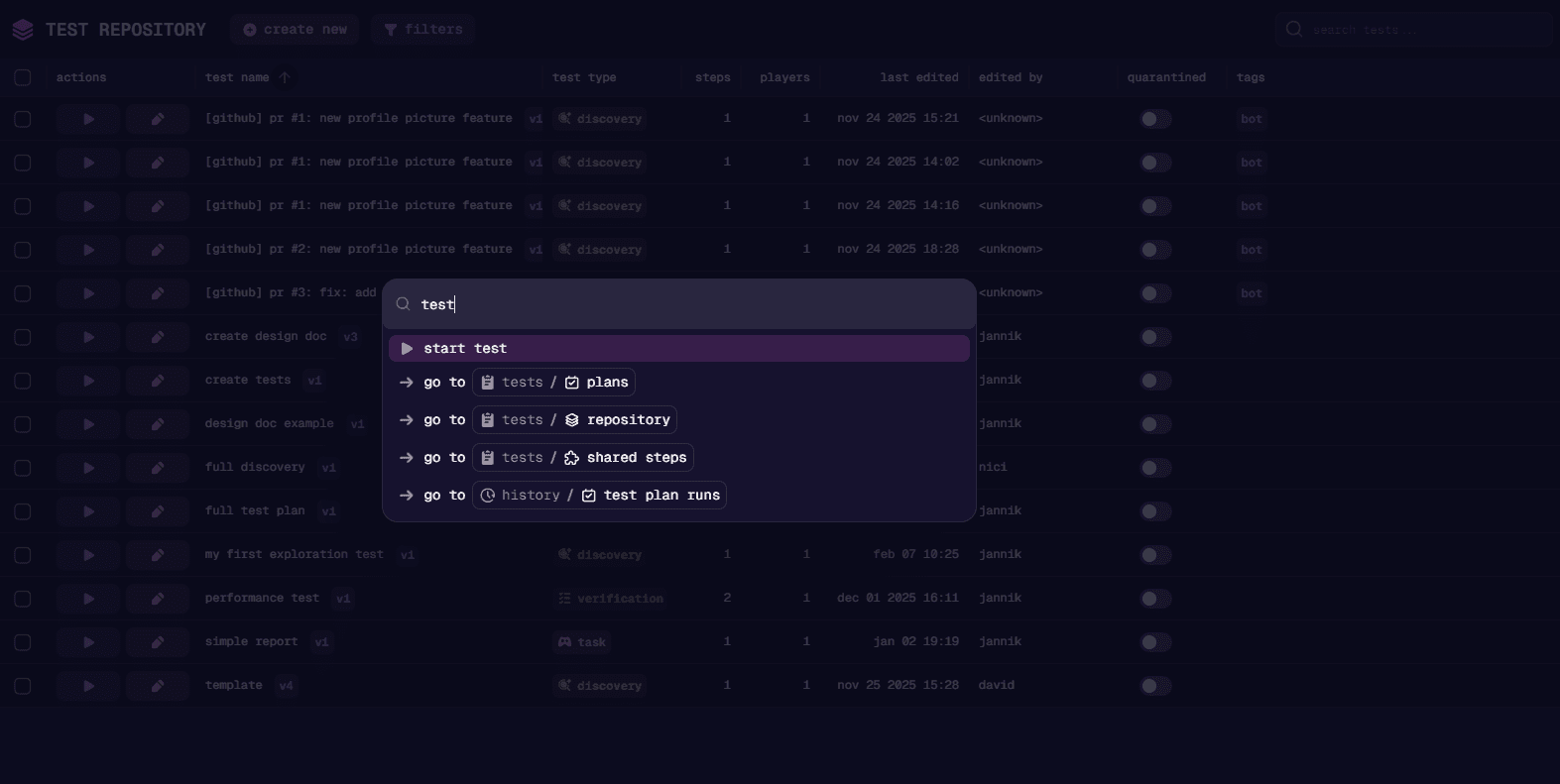
| Action | What to type |
|---|---|
| Switch projects | Type the project name |
| Start tests | Type “start test” |
| Jump to a page | Type “live”, “runs”, “repository”, “builds”, etc. |
| Upload a new build | Type “upload build” |
| Add new knowledge files | Type “upload knowledge” |
The command bar is especially useful for quickly starting tests and jumping between projects without touching the sidebar.
Run Recording View
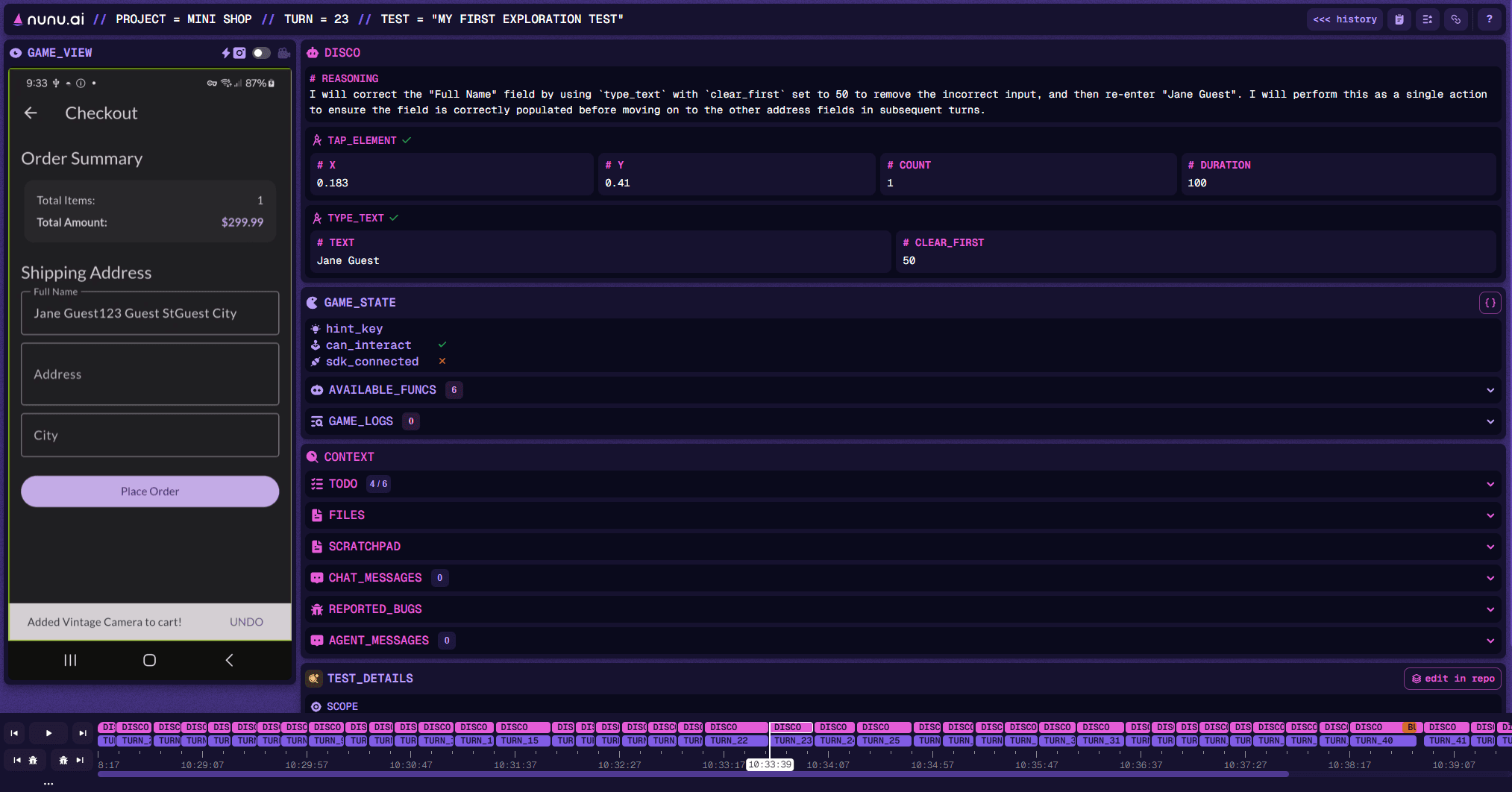
When reviewing a run recording, use these shortcuts to navigate efficiently.
Navigating Steps
| Shortcut | Action |
|---|---|
← / → | Move backward or forward through agent activity |
Ctrl/Cmd + ← / Ctrl/Cmd + → | Jump between test steps |
↑ / ↓ | Switch timeline lanes |
Home | Jump to the start of the run |
End | Jump to the end of the run |
Quick Actions
| Shortcut | Action |
|---|---|
C | Copy the URL of the current run |
R | Open the report dialog |
Reviewing Bugs Fast
This is the fastest way to review bugs in a run:
| Shortcut | Action |
|---|---|
J / K | Jump to the previous/next bug occurrence |
← / → | Step through the recording for context around the bug |
B | Open the bug review modal |
Use J/K to hop between bugs, ←/→ to see what happened around each one, and B to open the review modal.
Last updated on