Directory Sync
Setting up directory sync needs the Organization Admin role in your organization.
With directory sync, your company directory (for example Okta, Microsoft Entra ID or Google Workspace) decides who belongs to your Nexus organization. People you add to the nunu app in your directory can sign in and join, and people you deactivate there lose access to Nexus and are signed out automatically. You don’t have to remember to remove them in Nexus.
Directory sync is an add-on and needs single sign-on. To enable it for your organization, contact us.
Setting Up Directory Sync
Set up single sign-on first. Once directory sync is enabled for your organization, the single sign-on section in org admin → settings shows a third step, connect your directory (optional).
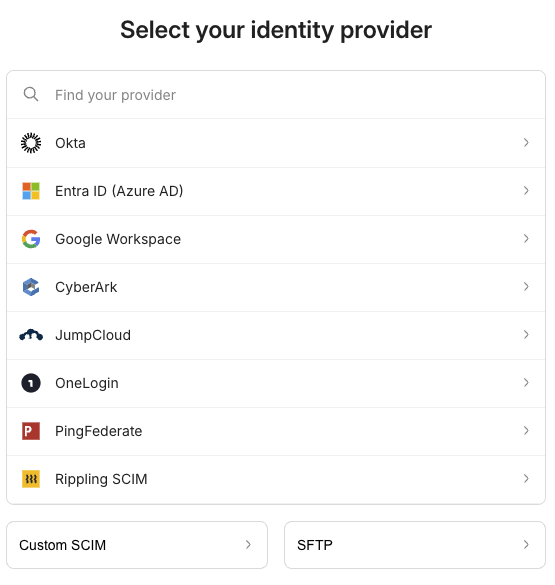
Click set up directory sync. Like the SSO steps, it opens a setup guide in a new tab. Pick your directory provider, or Custom SCIM for any other SCIM directory, and follow the steps: you’ll copy an endpoint and token into your directory and add an IT contact email for sync alerts.
When you’re done, come back to Nexus. The step shows done once the directory is connected, and the single sign-on section gets a directory sync badge.

How Members Are Synced
- Adding people: people you assign to the nunu app in your directory can sign in through your identity provider. They join your organization the first time they sign in, so they don’t take a seat until then.
- New members start without access: like members who join through SSO, they have no projects or roles until an admin assigns them. Directory groups aren’t mapped to projects or roles.
- Emails outside your verified domains: people whose email isn’t on one of your verified domains get an invitation email and join once they accept it.
- Removing people: when you unassign or deactivate someone in your directory, they’re signed out and removed from your organization and its projects, usually within a couple of minutes.
- Reactivating people: if you reactivate them later, they come back as an unassigned member. Their previous projects and roles aren’t restored, so assign them again.
Directory-Managed Members
On org admin → members, members managed by your directory have a directory badge next to their email.

You can’t remove these members in Nexus: KICK is disabled for them, with the hint “managed by your organization’s directory. deactivate them there to remove them”. Remove or deactivate them in your directory instead. You can still change their projects and roles in Nexus.
Changing or Removing Directory Sync
- Change your directory settings: click manage directory sync in the same single sign-on section.
- Disconnect your directory: contact us at team@nunu.ai. Members who were synced from it stay in your organization as regular members. The directory badge goes away, and you can remove them in Nexus again.