Generating Custom Output
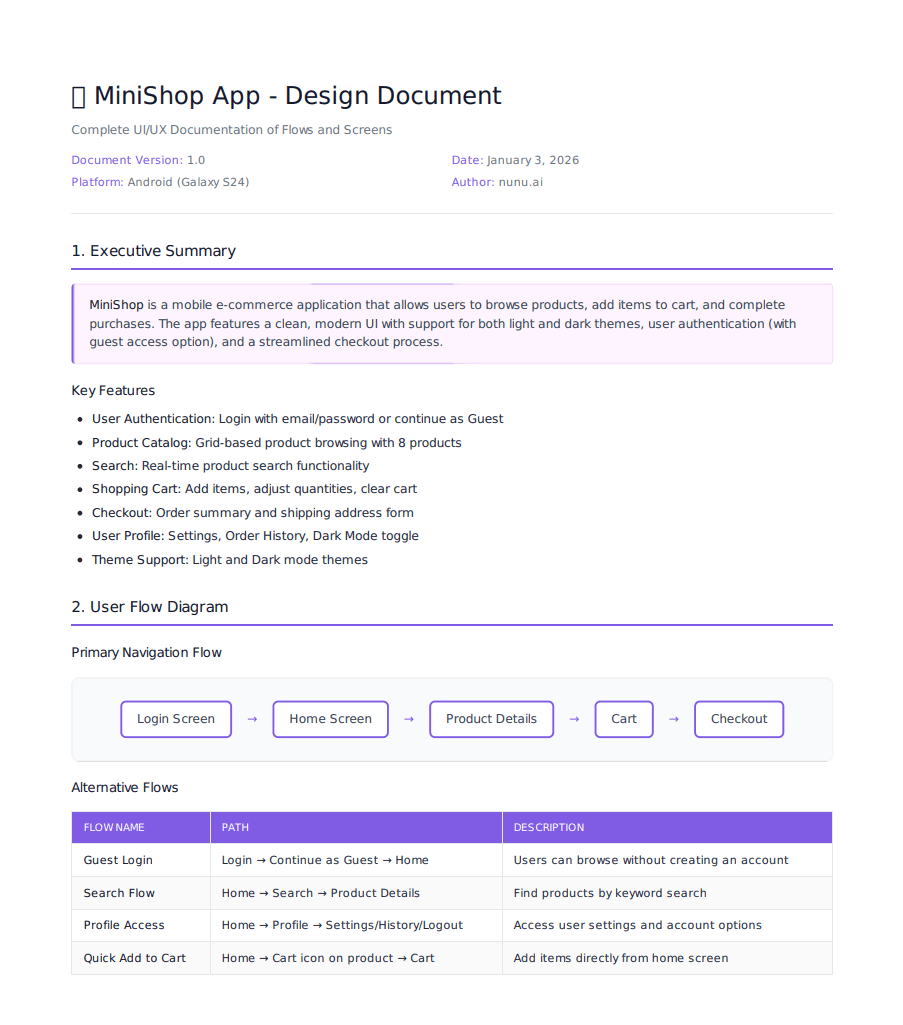
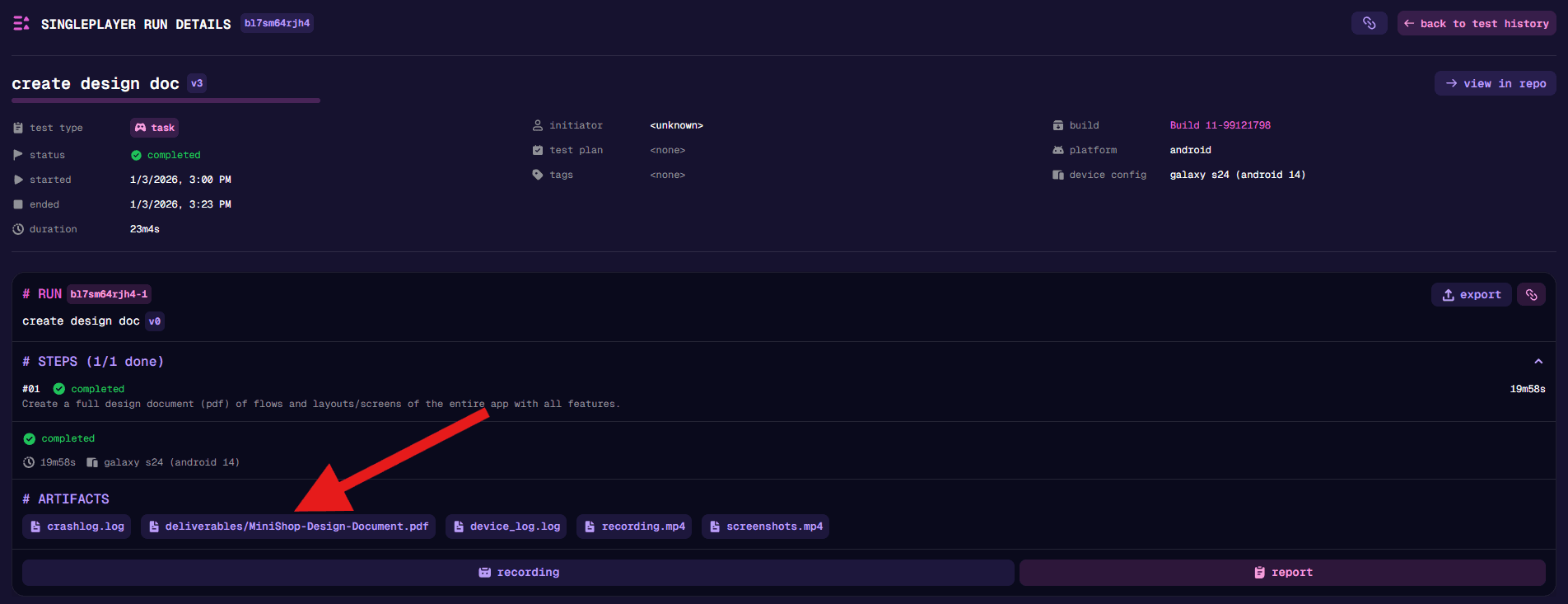
The AI agent can generate custom output files during a session — documents, reports, data tables, and more. These files are saved to the deliverables/ folder in the agent’s sandboxed filesystem and automatically uploaded as artifacts when the session ends.
How It Works
The agent always produces a session report summarizing what happened during the run. Additionally, you can request custom output either explicitly in your prompt or implicitly through task requirements.
Files in the deliverables/ folder are uploaded alongside other run artifacts (device logs, crash logs, etc.) and can be downloaded from the run details page.
Supported Formats
| Format | Extension | Use Case |
|---|---|---|
| Markdown | .md | Reports, documentation, notes |
| Plain text | .txt | Simple logs, answers, data |
| CSV | .csv | Structured data, metrics, tables |
| HTML | .html | Formatted reports, styled output |
.pdf | Formal documents, design docs |
Examples
Explicit Requests
Ask the agent directly to create a specific deliverable:
Create a Design Document (pdf) covering the new clan feature.Read survey.pdf and put your answers in answers.txt.Implicit Data Collection
Have the agent track data as part of a broader task:
Play through all tutorial levels. For each level, track success/failure,
completion time, and number of attempts in level-stats.csv.
Test the checkout flow with 10 different product combinations.
Record each result in checkout-tests.csv with columns: products, total, success, notes.Combined with Knowledge Files
Use knowledge files as input and generate output based on them:
Review the game against the attached design-spec.pdf.
Create a compliance checklist in compliance.md noting which requirements pass or fail.
Create 10 nexus test cases based on the acceptance criteria in user-story.md.Best Practices
- Be specific about format — If you need a particular file type, mention it explicitly (e.g., “as a CSV” or “in PDF format”)
- Name your files — Suggest filenames in your prompt to keep outputs organized
- Define structure for data — When collecting metrics, specify the columns or fields you want tracked
- Keep deliverables focused — One file per purpose is easier to work with than one large file with everything