Project
To access the Project Admin tab, you’ll need the project-admin permission,
which is available to users with the Project Admin role or other roles that
include this permission.
The Project Settings page lets you configure your project’s basic information and enable or disable features. Settings are organized into two tabs.
General Settings
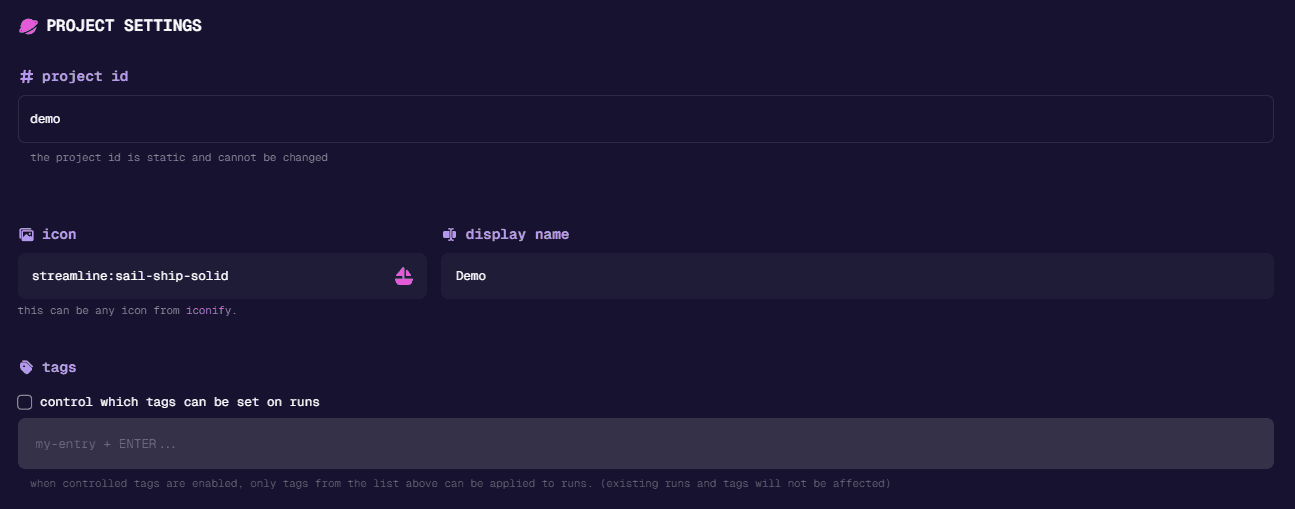
The General tab provides core configuration options:
- Project ID: Unique identifier for your project (cannot be changed)
- Icon: Icon for your project page. Can be any icon from Iconify
- Display Name: Human-readable project name shown in the UI
- Tags: Labels for organization and filtering
Project Features
The Features tab lets you enable or disable specific functionality for your project. Turning off unused features keeps the UI cleaner—fewer sidebar items, simpler editors, and less clutter. Not every project needs credentials management or shared steps, so you can tailor Nexus to show only what’s relevant to your workflow.
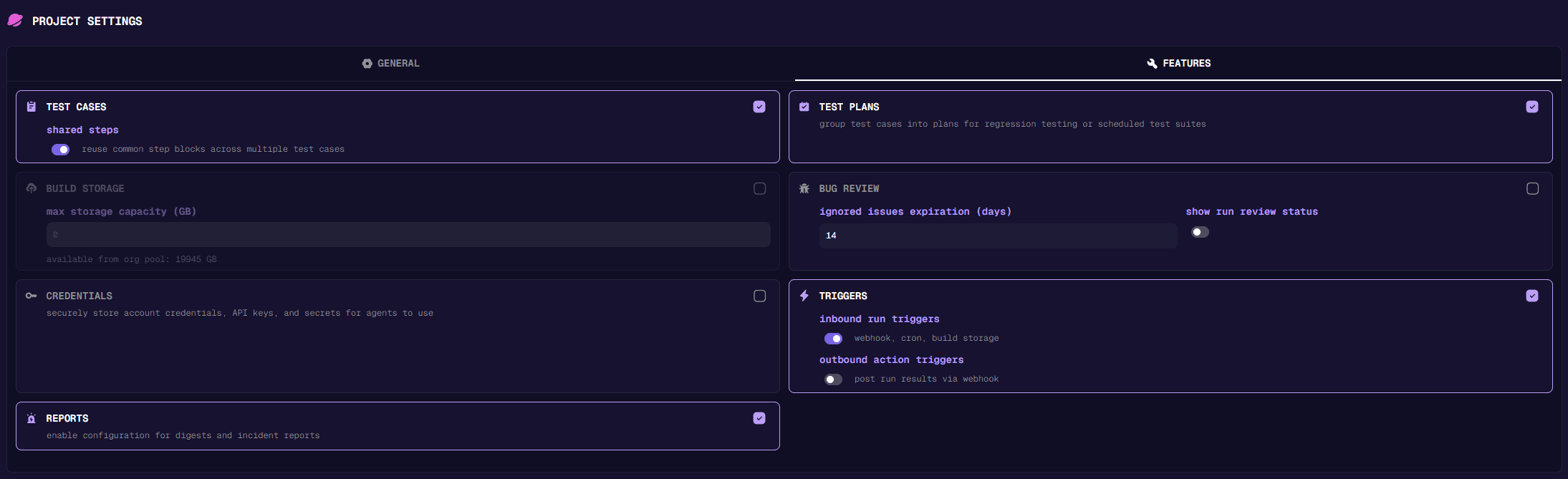
Some features can only be enabled by the nunu team. If a feature you need isn’t listed here, contact the nunu team to request access.