Build Storage
Build Storage is not enabled by default
Contact your project admin to enable this feature, or learn how to enable it yourself if you have admin access.
Build storage allows you to upload your application builds directly within Nexus for deployment. You can upload multiple builds simultaneously, with each upload supporting files up to 100GB.
Uploading a Build
You can upload builds either manually through the Nexus UI or programmatically from your CI/CD pipeline.
Manual Upload (UI)
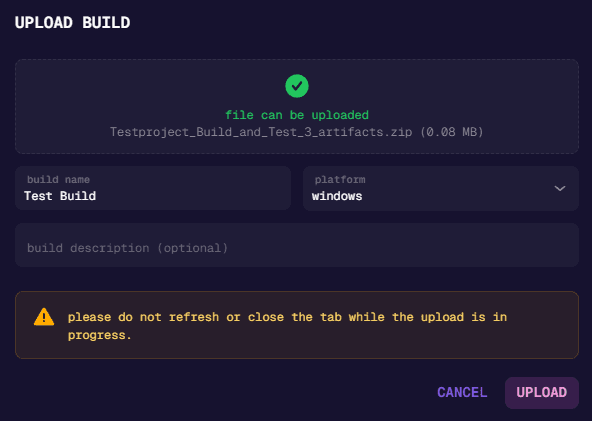
- Click the Upload Build button in the UI
- A popup will appear with a drag and drop area. You can either drag your build file directly onto this area or click to open the file explorer and select your file
- Fill in the build name
- Select the build platform (Windows, Android, iOS, etc.)
- Optionally, add a description for your build
- Once all required fields are completed, click the Upload button to start the upload
Do not refresh the page, close the tab/browser, or navigate away from Nexus during upload, as this will cancel the upload process.
Programmatic Upload (CI/CD)
For automated uploads from your build pipeline, use one of these methods:
| Method | Best For | Guide |
|---|---|---|
| CLI Tool | Any CI/CD system | Quick Start |
| GitHub Action | GitHub Actions | GitHub Action |
| API | Custom integrations | API Reference |
Upload Limitations
- Single file limit: 100GB per upload
- Multiple uploads can run simultaneously
Using Build Storage as a Deployment Provider
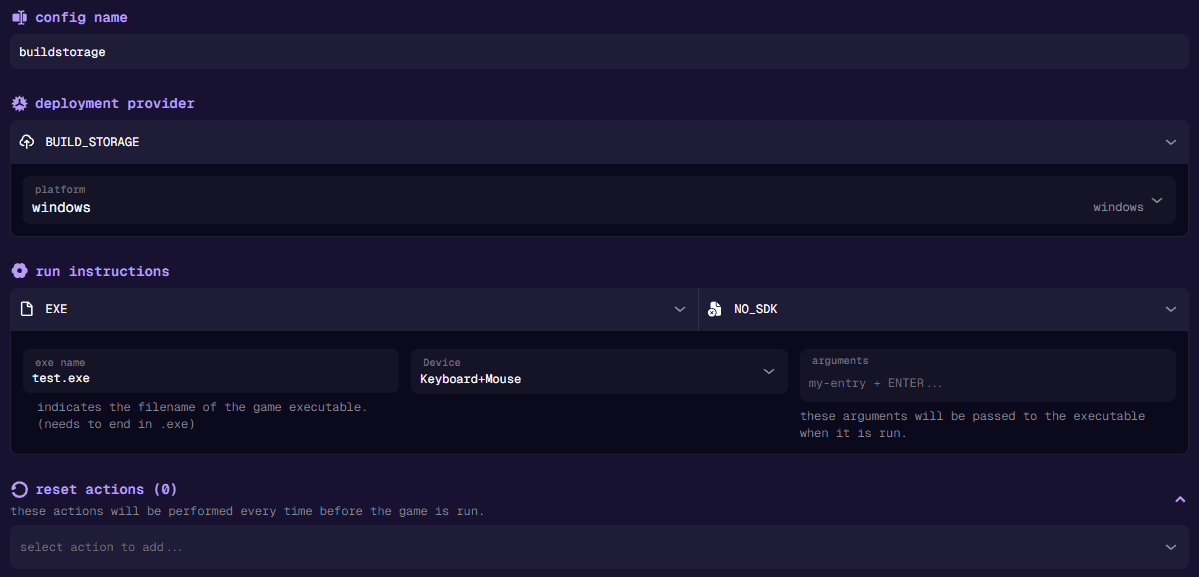
Once you have uploaded builds to build storage, you can use them as a deployment provider:
- Navigate to Configs → Deployment
- Create a new deployment config
- Select Build Storage as the deployment provider
- Choose the corresponding platform for your uploaded build
Automated Testing on Upload (Triggers)
Set up a Build Storage Trigger to automatically run your test plans whenever a build is uploaded - no webhook configuration needed.
Build Storage Triggers let you:
- Automatically run tests on every upload, or filter by upload method (manual vs API/CLI)
- Filter builds by name using regex patterns (e.g., only test builds starting with “release-”)
- Require specific tags to be present before triggering