Members
To access the Project Admin tab, you’ll need the project-admin permission,
which is available to users with the Project Admin role or other roles that
include this permission.
The Members page allows you to manage user access to your project. Here you can:
- View all current project members
- Edit member roles and permissions
- Invite new members to join your project
Inviting New Members
You can invite new members to your project in two ways:
Email Invite
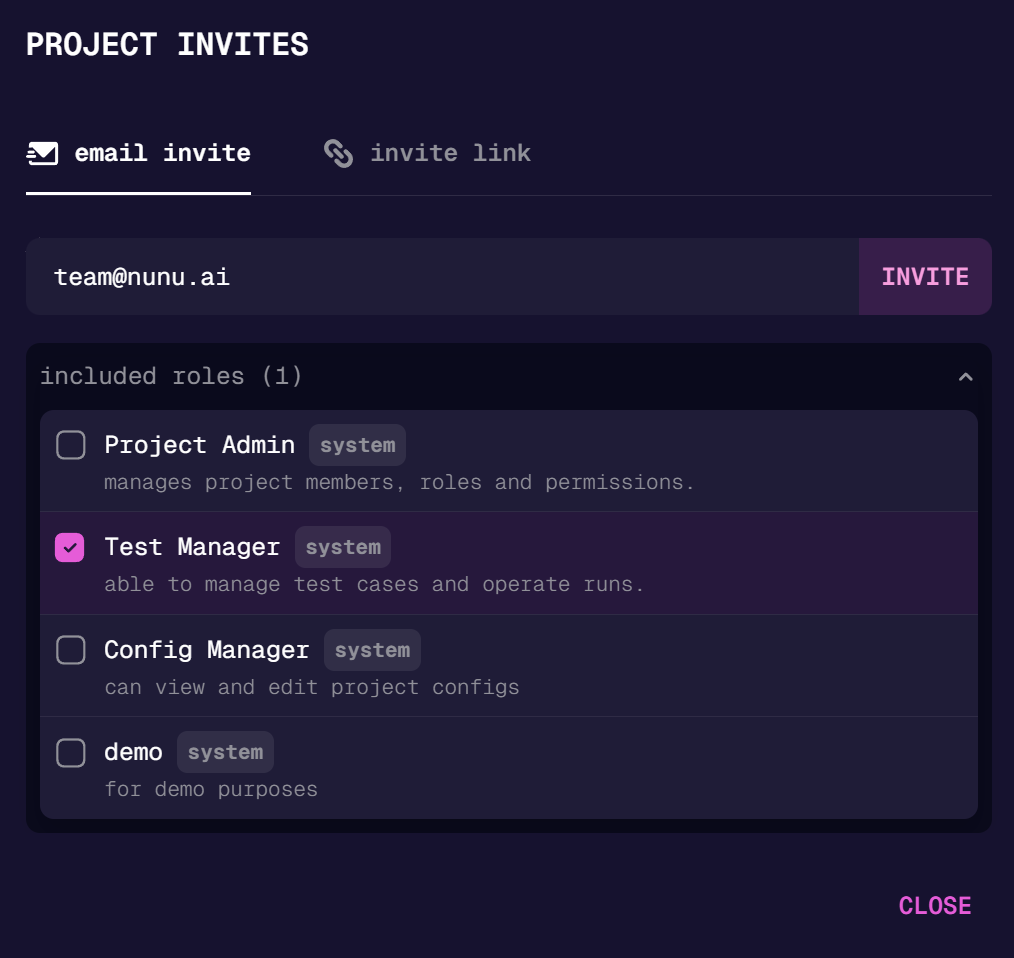
Send direct email invitations to specific users:
- Enter the email address of the person you want to invite
- Select the role they should be assigned
- Click “Invite”.
Invite Link
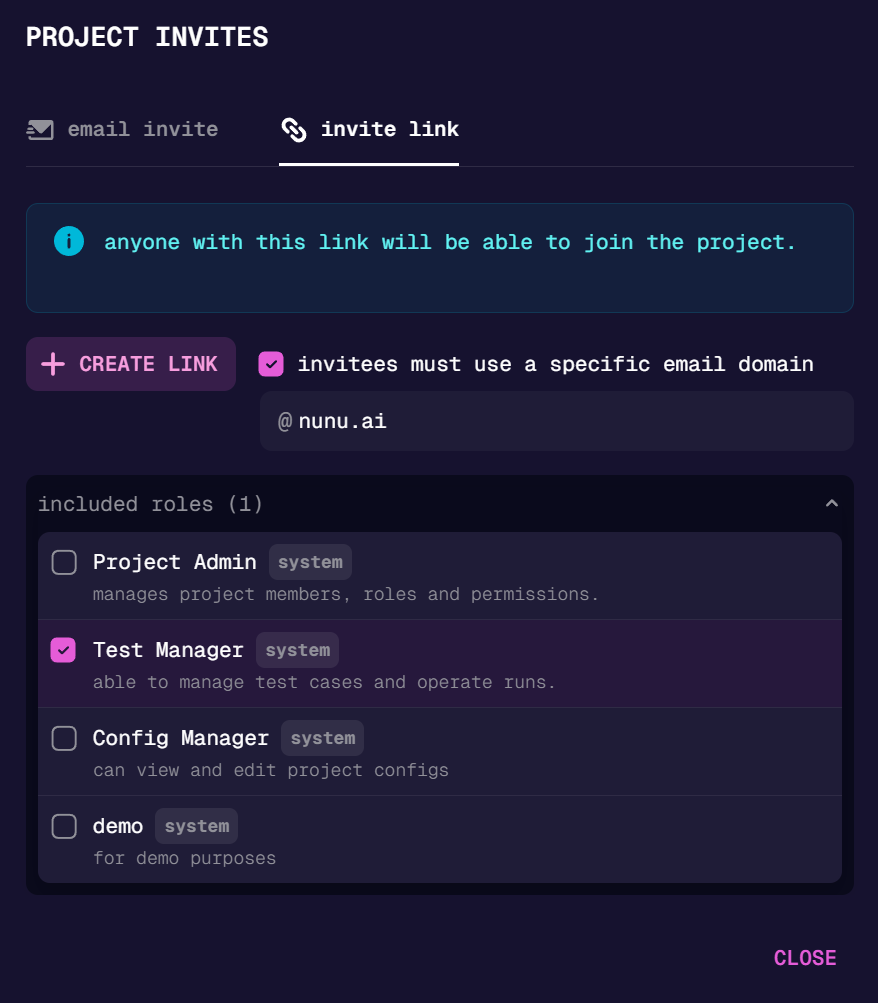
Generate a shareable invite link:
- Select the role that will be assigned to users who join via the link
- Generate and copy the invite link
- Share the link with anyone you want to invite to your project
Last updated on