Applivery
Mobile app distribution platform integration
Enterprise feature
External provider integrations are available on Enterprise plans. Contact the nunu team if you are interested.
What do we need?
- Organization ID: Unique ID found in dashboard overview
- Application ID: Your app identifier
- Service Account Token: A token with Viewer role
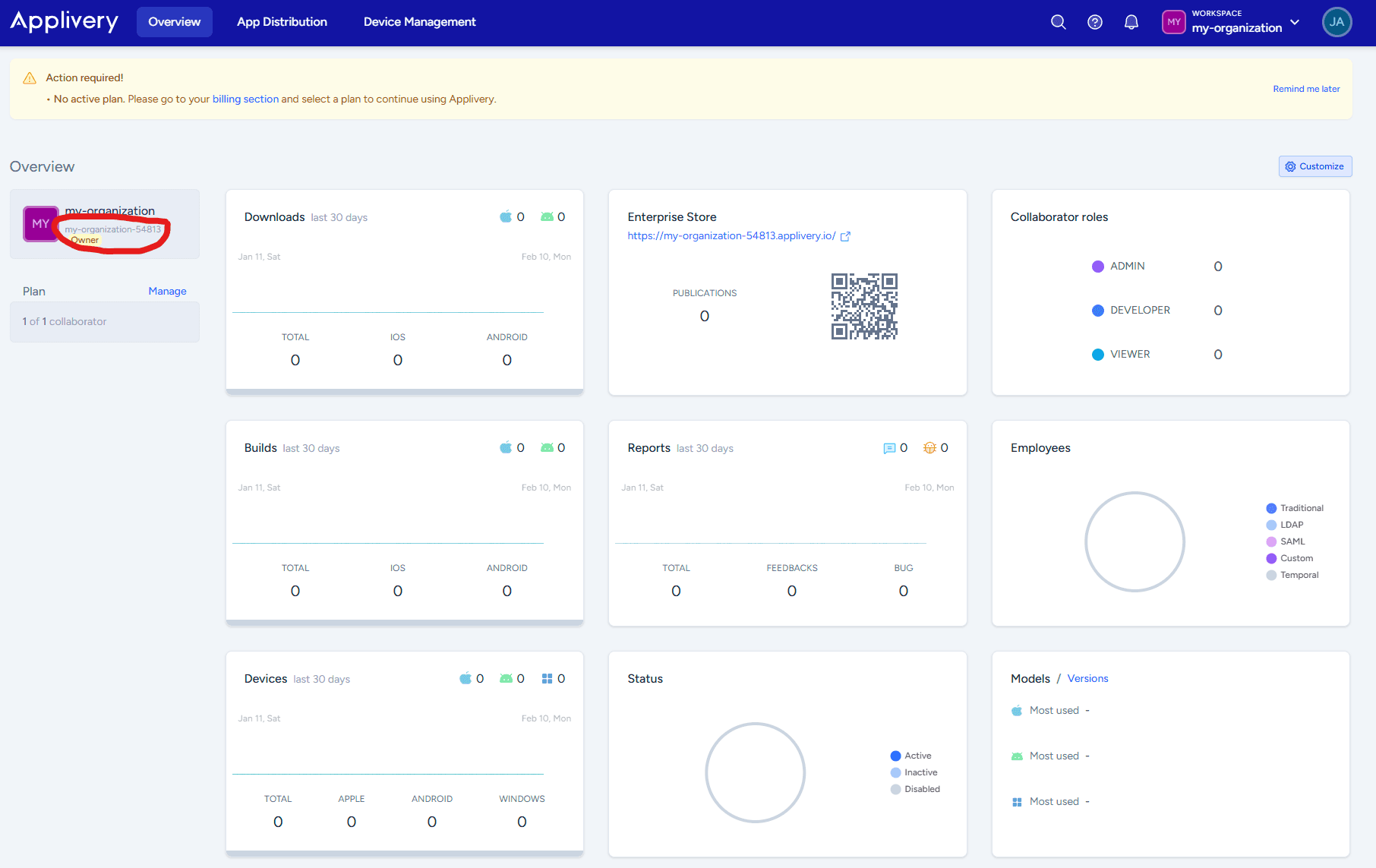
Organization ID
Find the organization ID on the dashboard overview - make sure to take the ID and not the display name (example: my-organization-54813)
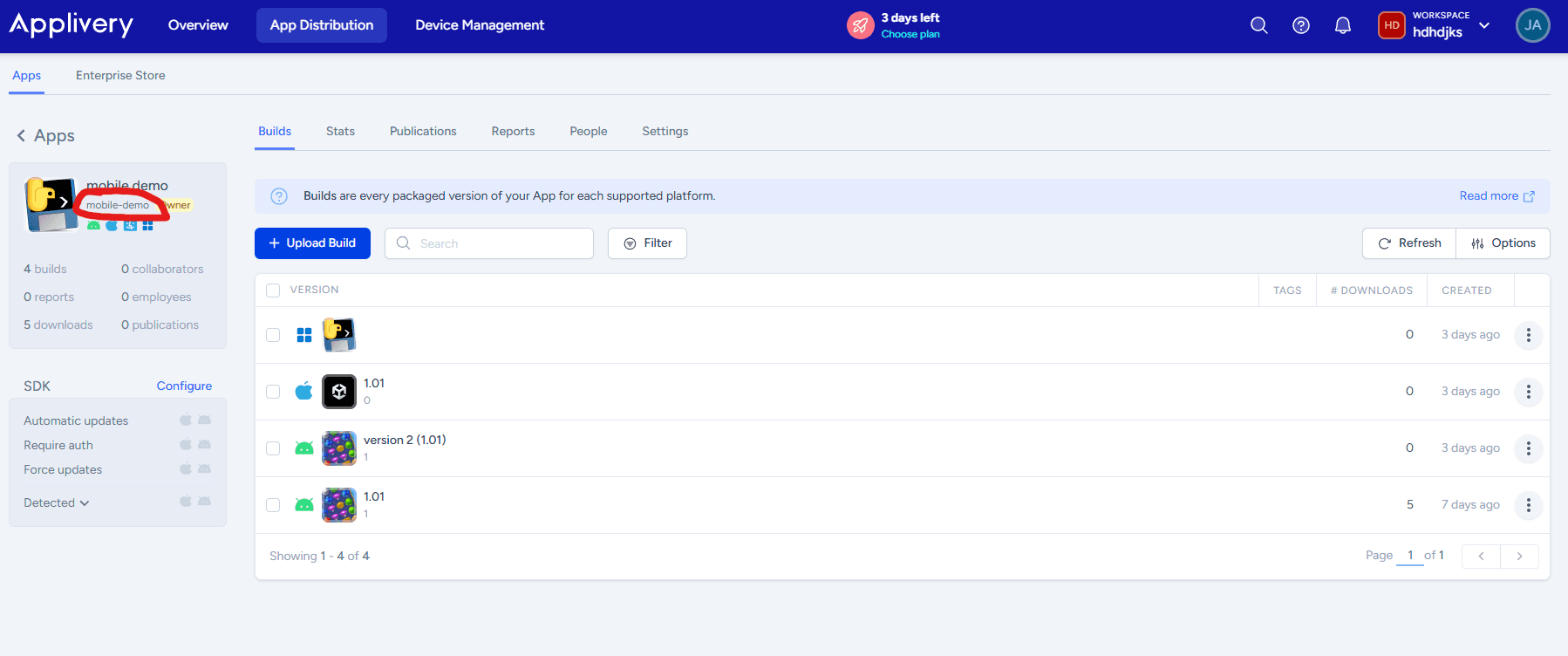
Application ID
Located in the Apps section (example: mobile-demo)
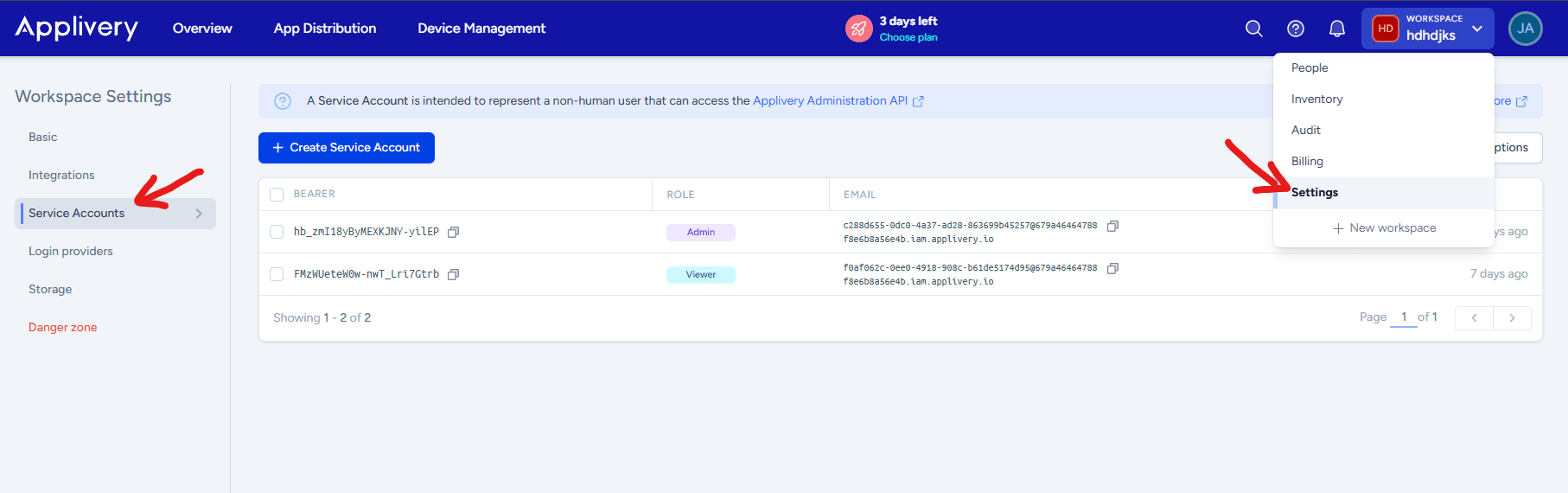
Service Account Token
-
Go to organization settings → Service Accounts
-
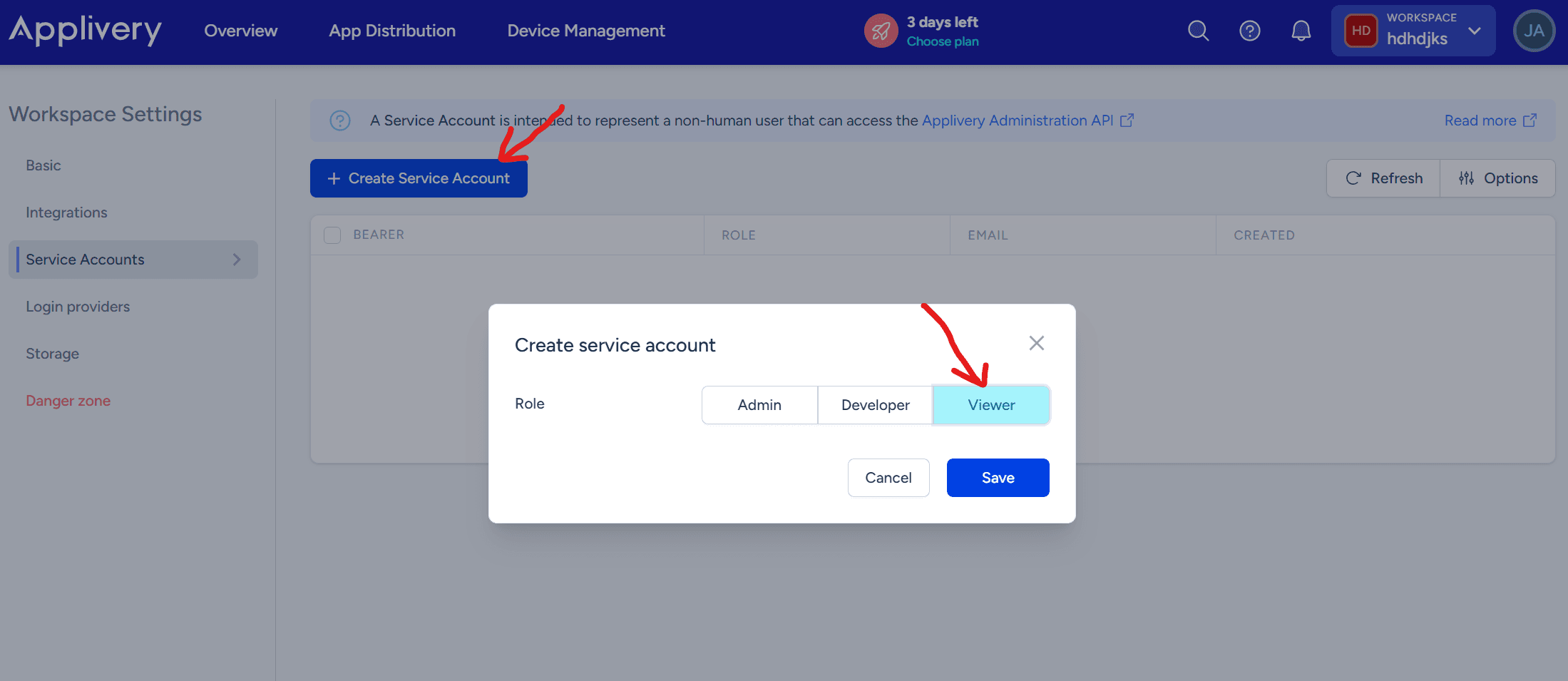
Click “Create Service Account”
-
Select “Viewer” role
-
Save the Bearer token that’s generated
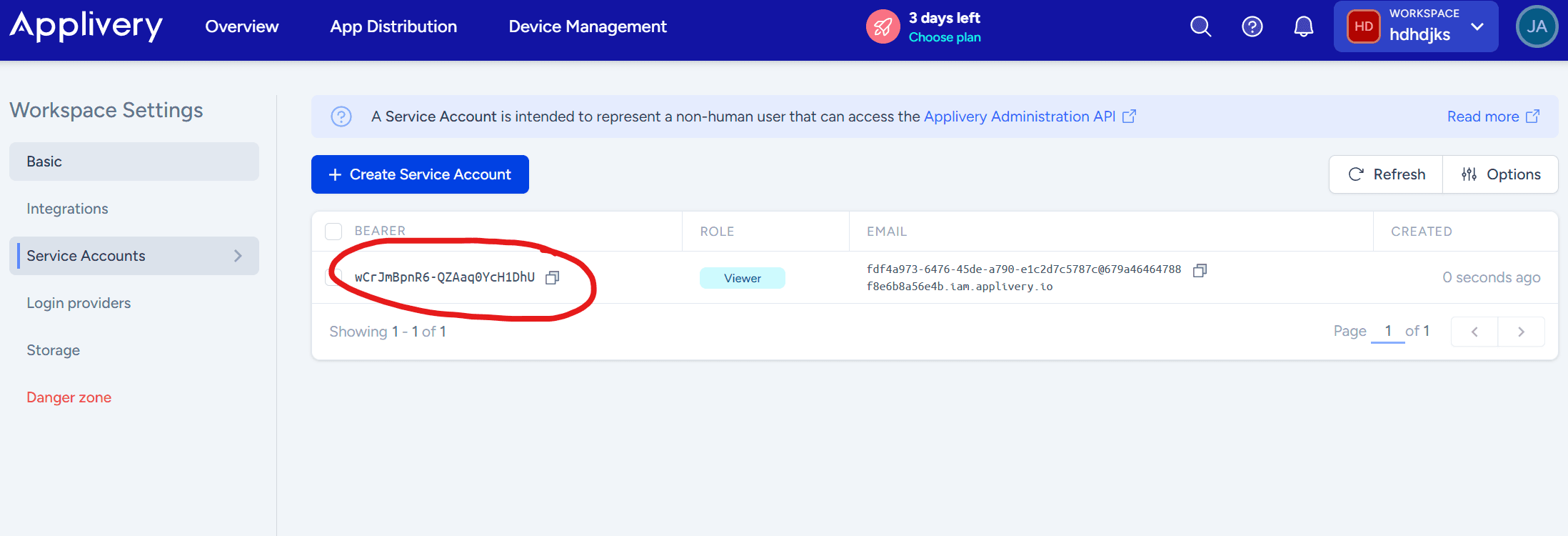
That’s all you need to integrate Applivery into your build pipeline!
Example Config:

Check out Deployment Configuration for more details on how to configure your deployment settings on nexus and integrate with your CI/CD pipeline integration.
Last updated on