Report
Reports is not enabled by default
Contact your project admin to enable this feature, or learn how to enable it yourself if you have admin access.
To access the Configs tab, you’ll need the project-view-configs permission,
which is available to users with the Config Manager role or other roles that
include this permission.
Reports provide an automated way to receive notifications when tests fail or to get summaries of test results. You can temporarily disable a report by toggling the button below the report name.
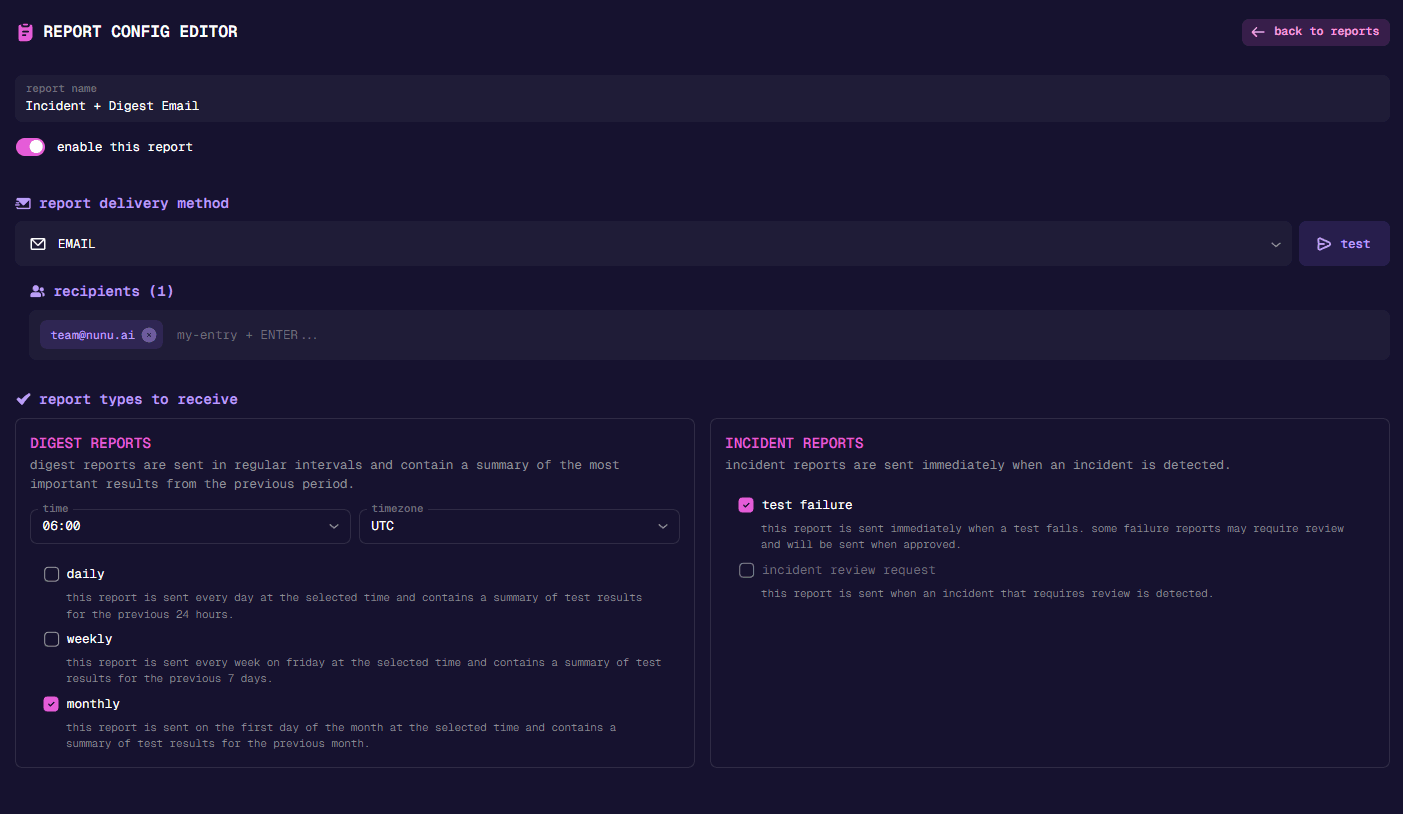
Report Delivery Method
Setting up email delivery is straightforward. Simply add all email addresses that should receive the report.
Slack
- Give your report config a name
- Click the [ add to slack ] button
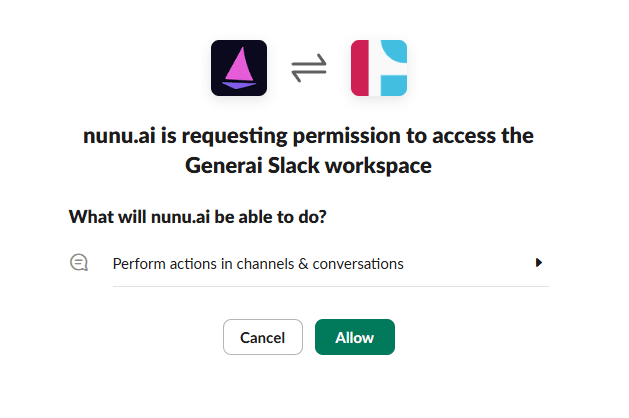
- Allow the Slack app to perform actions in channels.
- Add the
channel idin Nexus. To find your Slack channel id, right-click on the channel: and select
 View channel details. You’ll see your channel id at the bottom.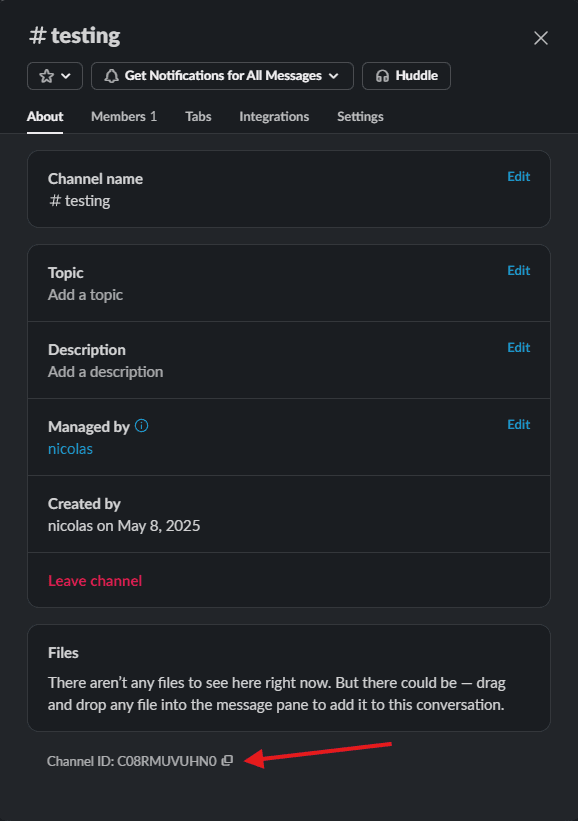
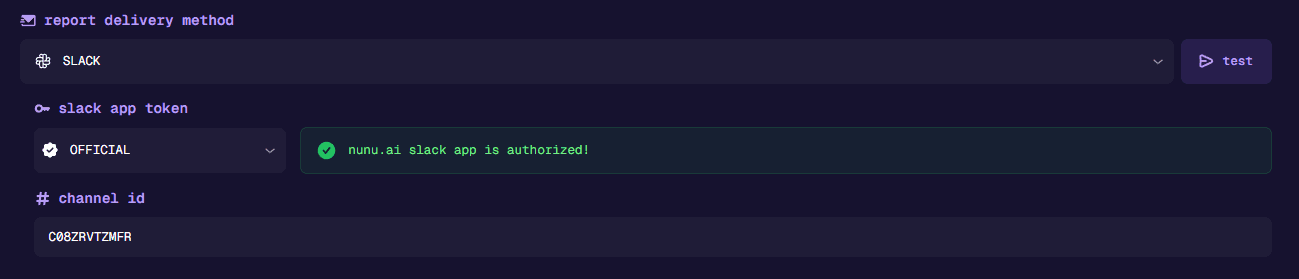
- Done! It should now look like the image below. You can press the [ test ] button to verify everything is working correctly.
Jira
- Give your report config a name
- Fill in your Jira company URL, for example,
nunuai.atlassian.net - Fill in the project ID, this can also usually be found within the URL when viewing the project (i.e. NUNUAI for
https://nunuai.atlassian.net/jira/software/projects/NUNUAI/boards/) - Click the [ add to Jira ] button
- This will redirect you to Jira to authorize our OAuth 2.0 app, please add it to the same company and project as you have entered in the config
- Done! It should now look like the image below. You can press the [ test ] button to verify everything is working correctly, this will create a test issue on the selected project.
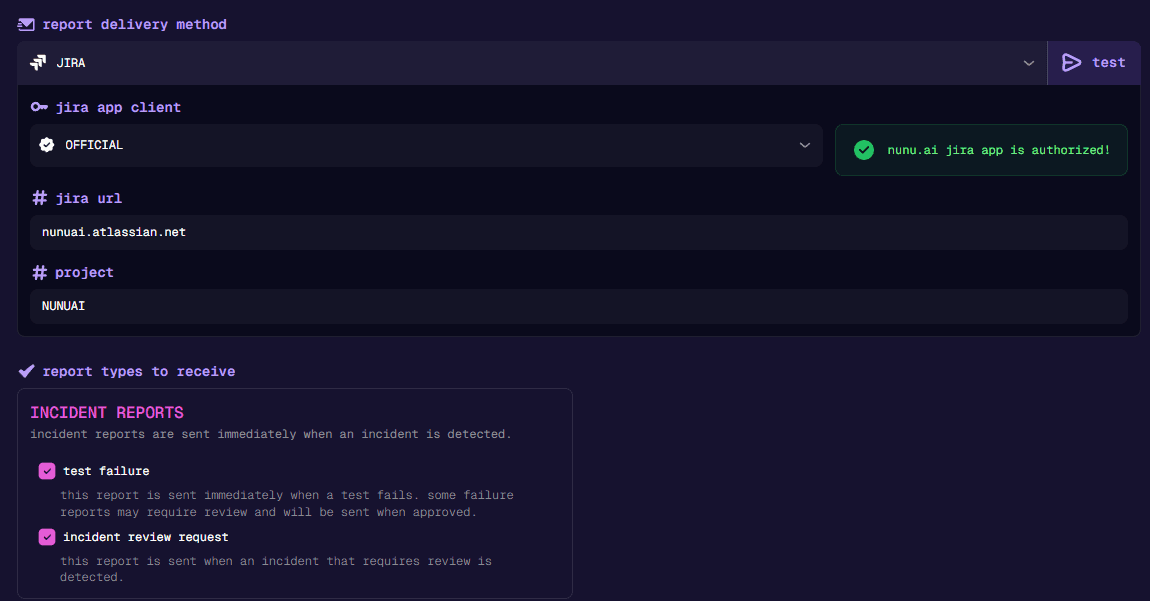
Report Types To Receive
Digest Reports
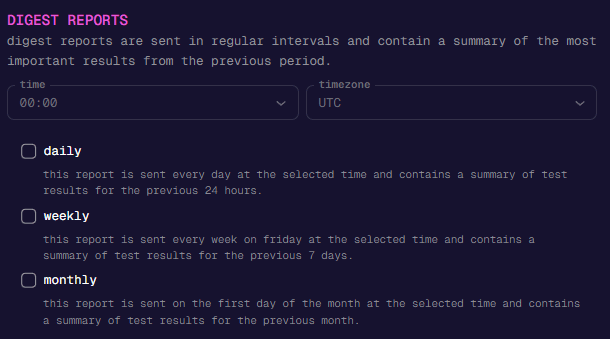
Digest reports provide automated summaries of test results at regular intervals (daily, weekly, or monthly), helping you quickly review the most important outcomes from the previous period.
Incident Reports
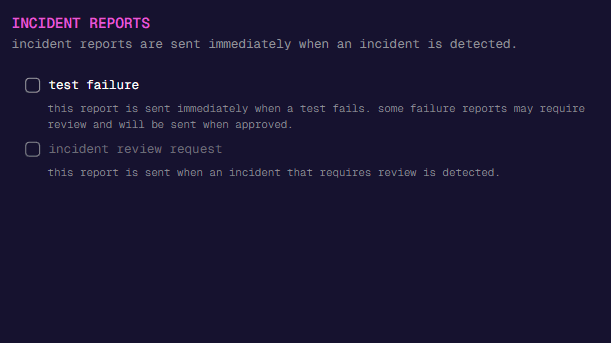
Incident reports are sent immediately when an issue is detected, such as a test failure or when an incident requires review, ensuring prompt notification and response.
Currently incident reports are only sent from incidents caused by tests that are executed as a part of a Test Plan.