Get to know our AI Agent
nunu.ai provides an AI Agent that can perform automated testing, QA and other tasks fully autonomously, without human supervision.
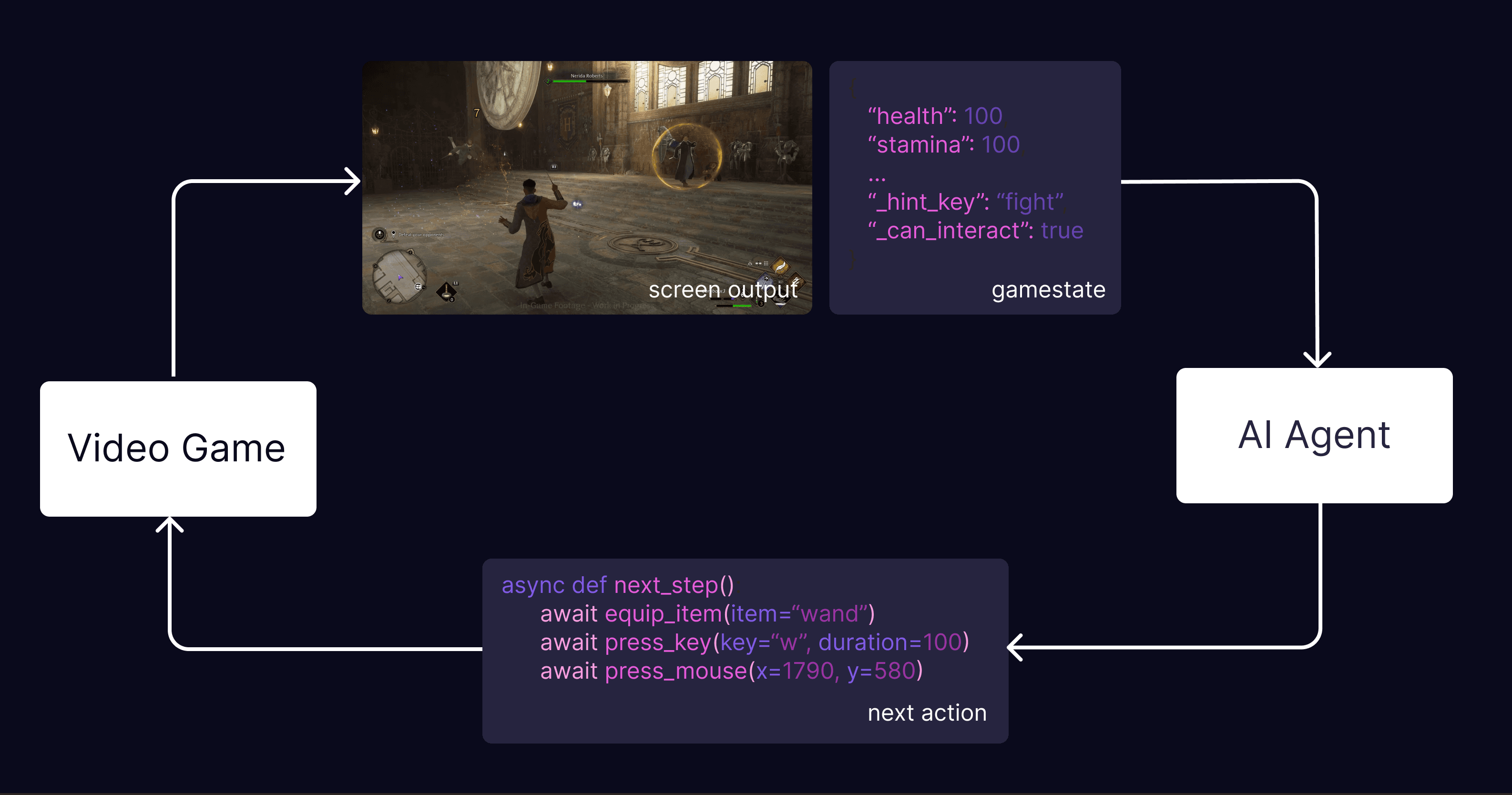
Core Loop
The AI Agent interacts with your game or app by looking at the screen and pressing keyboard/mouse/phone buttons, exactly like a human player would.
To be more specific, the AI agent plays the game in steps. In each step:
Receive Observation
Get a screenshot of the current frame and optional game state information.
Research (Optional)
Read available knowledge files, perform web search to get more information to make a decision
Think & Plan
Analyze the observation, history and available information to decide on the next best action towards completing the current instructions.
Document Progress (Optional)
Document the current progress: create/update files, update todo list, …
Execute Action
Perform the action (such as tapping the settings button) to make progress toward that goal
This process repeats continuously until the test or task is complete.
Actionspace
The agents actionspace is a set of core functions (observe, run_code, web_search …), file actions (read, write, …) together with functions given by the platform/device (tap, press_key, …)
Game Functions (Flayer Functions)
You can expand the actionspace using the Nunu SDK, which allows you to implement Flayer Functions. Flayer functions are often used to expose cheats, improve navigation or add internal game state information.
run_cheat("unlock_all_levels")navigate_to_objective("castle")equip_item("Sword")
The AI Agent can use these functions in its code, making it easier to accomplish tasks that would otherwise require complex motor control or extensive trial-and-error.
File System
The agent has access to a virtual sandboxed file system, where it can read and write files. The initial file system is filled with
├─ deliverables/     (a folder for user-facing artifacts)
├─ knowledge/        (input files provided by the user)
├─ memos/            (notes the agent writes to retain context)
├─ skills/           (nunu curated tips/tricks for common workflows)
├─ scratchpad.md     (auto loaded into context)
└─ test_case.md      (full test case for multi step tasks)
The AI agent can use the file system to create custom output, plan and track progress over long sessions and research or retrieve information from the given input files. You can think of it as if the human tester has both access to the device under test and an additional computer.